Working With Passwords
Follow these instructions to reset your forgotten
password or change your existing password
Note: This page will appear in a new tab so you can
move back and forth as you follow the instructions.
You can close this page when you are done
without affecting the website.
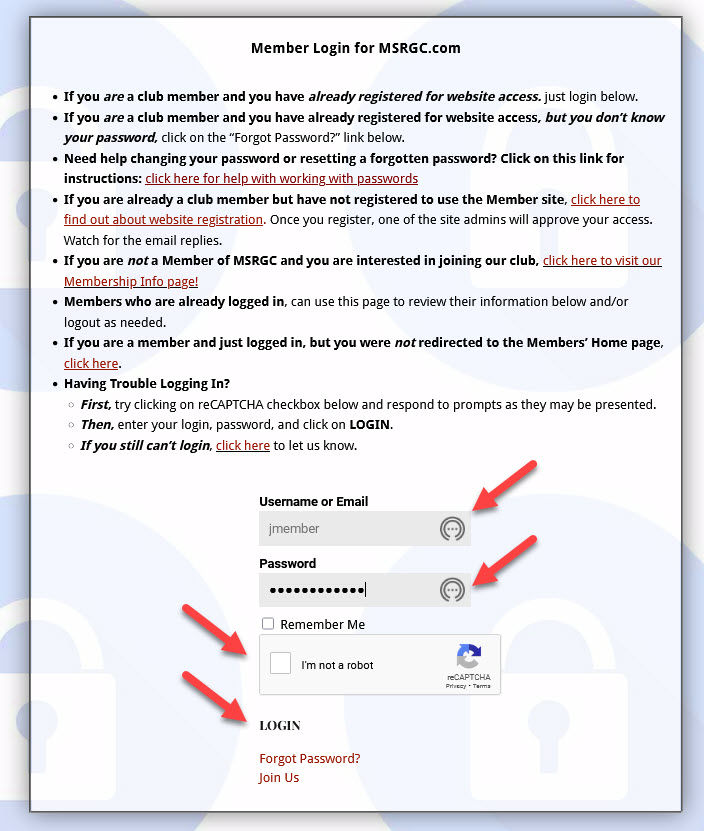
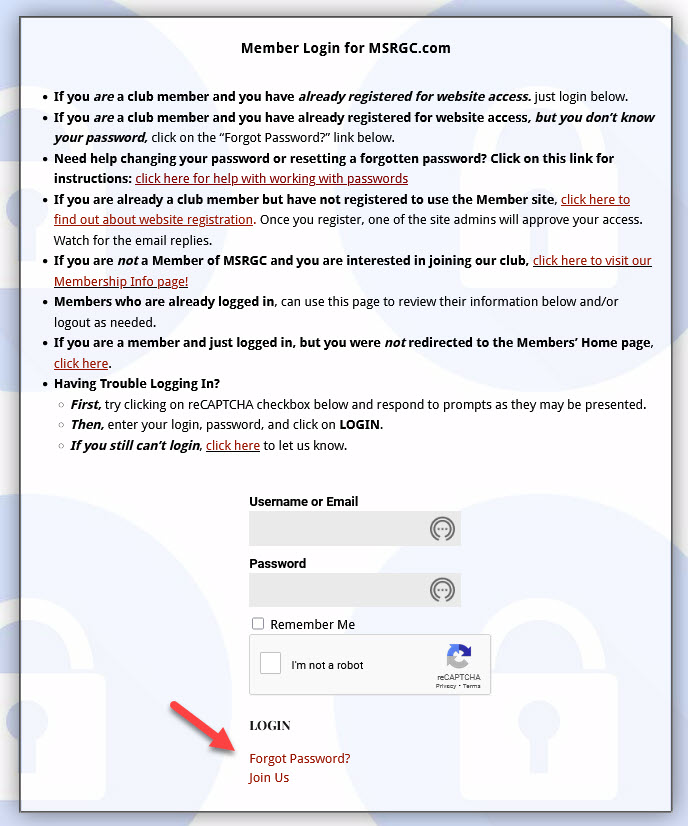
Forgot Password?
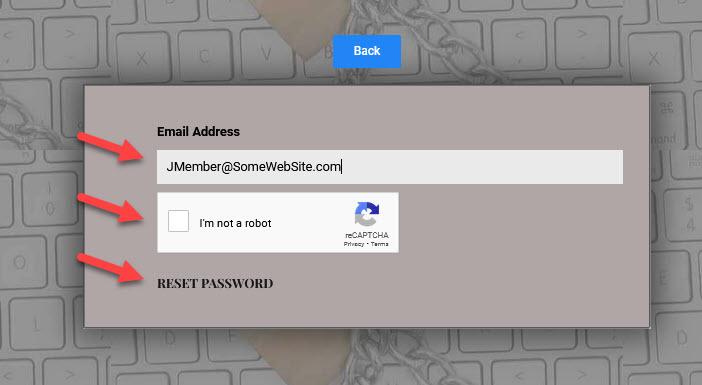
Follow these instructions to resolve this problem.
and then click on "Reset Password"
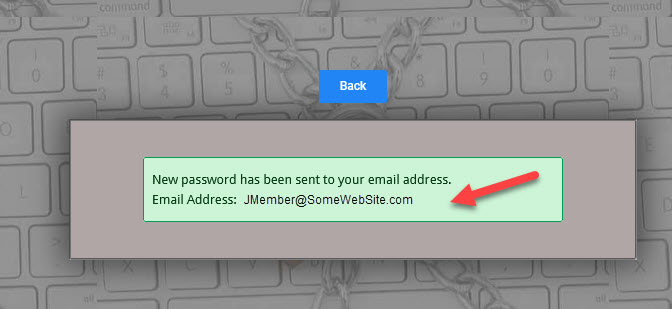
and telling you that a new password will be sent.
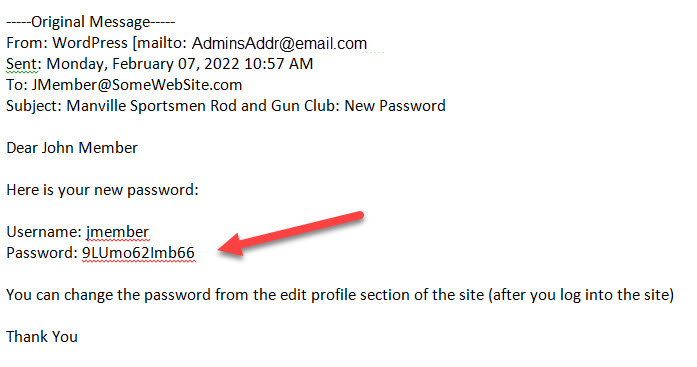
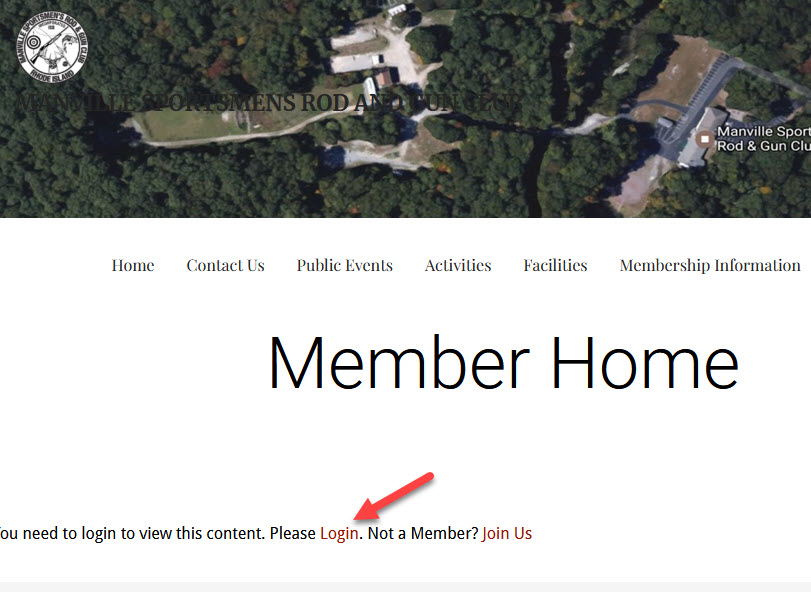
click on "I'm not a robot" and then Login.
You should be all set!
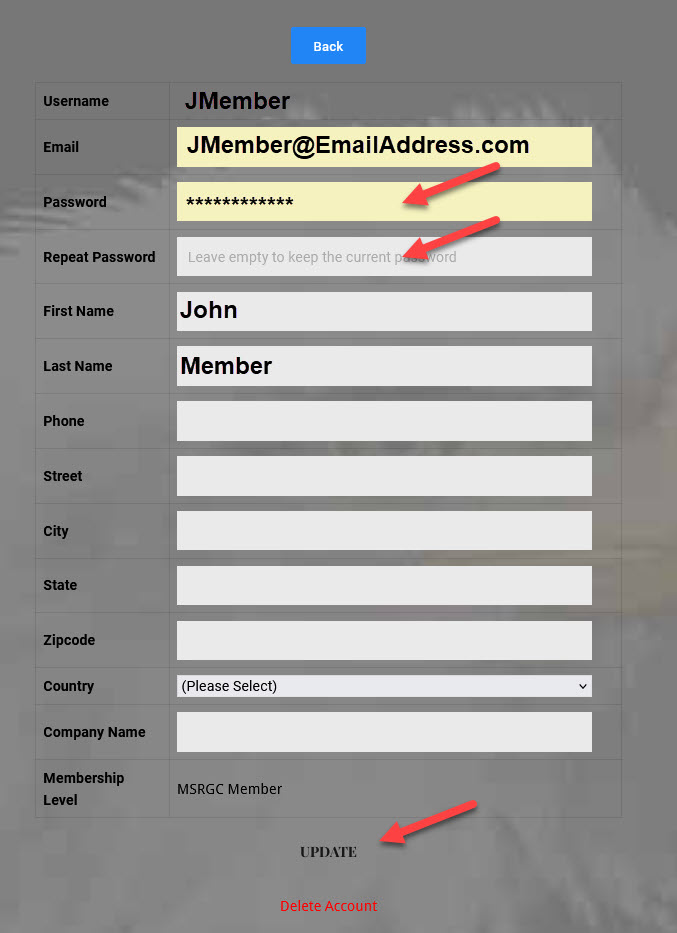
Need to Change Your Password?
Follow these instructions.
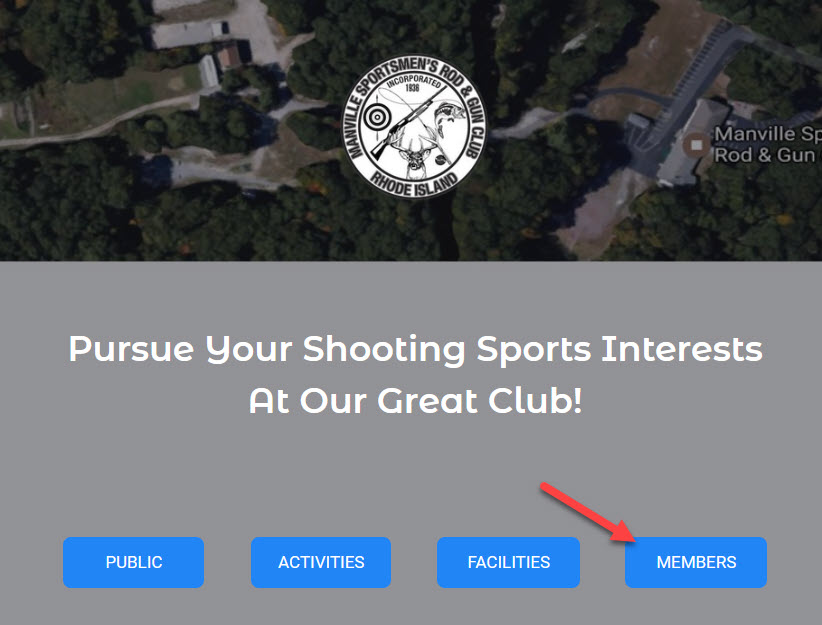
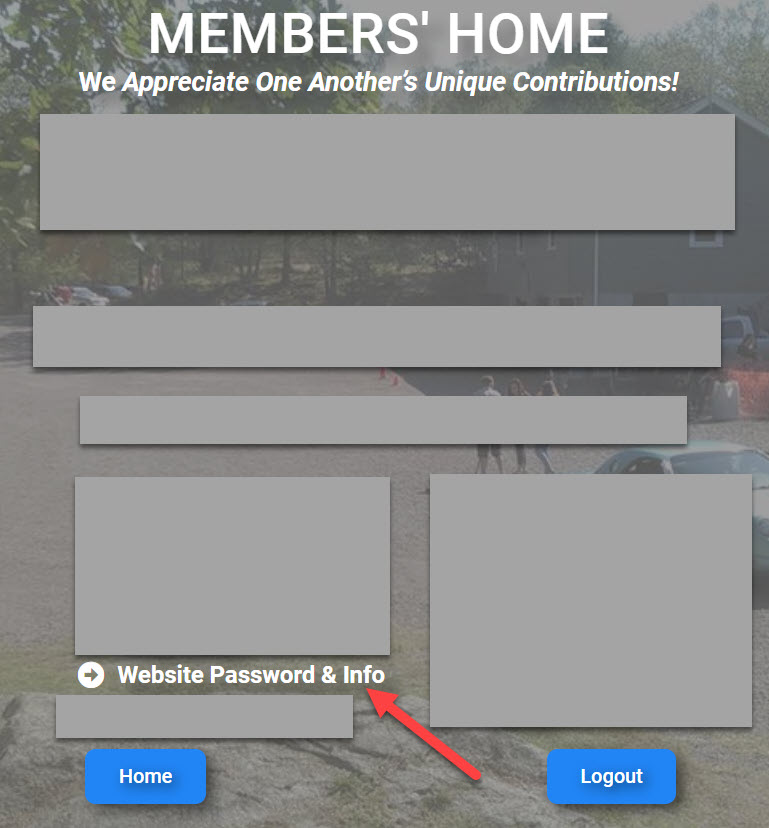
menu item on the Members' Home page
twice and click on Update.
Done!